
EasyWeb Marketing: Can It Really Work in 2025?
The question on the table is simple: can we do marketing with the help of EasyWeb? The short answer is yes—but the long answer is where things get interesting. EasyWeb has become more than just a website builder. It’s positioning itself as a lightweight marketing hub for small businesses, freelancers, and even startups that don’t want to juggle multiple complex platforms.
In this guide, I’ll break down how EasyWeb can be used for marketing, where it shines, where it falls short, and how to build a strategy that actually moves the needle for your brand.
What Exactly Is EasyWeb?
For those unfamiliar, EasyWeb is often pitched as a drag-and-drop website builder, not unlike Wix or Squarespace. But in 2025, EasyWeb has leaned harder into marketing-friendly features:
- Built-in SEO optimization tools
- Landing page templates for lead generation
- Simple e-commerce and checkout integrations
- Analytics dashboards
- Email and form capture tools
That means it’s not just a design tool anymore—it’s slowly becoming a marketing assistant for non-technical users.
Can You Actually Market with EasyWeb?
Here’s the thing: marketing isn’t just about having a good-looking site. It’s about visibility, traffic, conversion, and growth. EasyWeb covers part of that picture. Let’s break it down:
1. SEO Marketing with EasyWeb
- EasyWeb offers on-page SEO tools like meta tags, alt text editing, and schema markup.
- The platform integrates with Google Search Console, so you can track how pages index.
- The downside: advanced SEO (technical audits, backlink monitoring) is limited.
2. Social Media Marketing Integration
- You can embed feeds, schedule posts, or connect your site to Facebook Pixel and TikTok Ads.
- It’s not a full social scheduling tool (like Buffer or Hootsuite), but it lowers the friction for beginners.
3. Content Marketing Potential
- EasyWeb lets you publish blogs, optimize headings, and insert internal links.
- Its blogging engine isn’t as flexible as WordPress, but for small-scale content, it works.
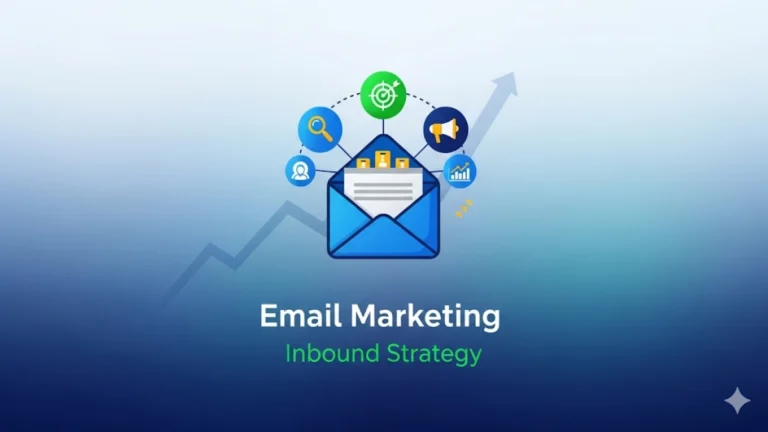
4. Email Marketing & Lead Capture
- Integrated form builders help you capture emails directly.
- You can sync with Mailchimp, ActiveCampaign, or even native EasyWeb email campaigns.
5. Paid Ads & Landing Pages
- Pre-built landing page templates make it quick to run Google Ads or Meta Ads campaigns.
- However, tracking conversions at a granular level requires external tools.
Verdict: Yes, you can market with EasyWeb—but it works best for startups, small businesses, and solo professionals who need simplicity more than advanced customization.
Who Should Use EasyWeb for Marketing?
Not every business will thrive using EasyWeb. Let’s be realistic.
- Ideal Users: Local shops, coaches, consultants, bloggers, solopreneurs, early-stage startups.
- Not Ideal: Enterprise-level businesses, high-volume e-commerce, or SEO-heavy brands.
If your marketing depends on deep analytics, custom funnels, or multi-channel attribution, EasyWeb will feel too limited.
The Advantages of Marketing with EasyWeb
- Speed: You can launch a landing page in an hour, not weeks.
- Affordability: Lower cost compared to piecing together WordPress + hosting + plugins.
- Ease of Use: Non-technical users can manage marketing themselves.
- Built-in Templates: Landing pages, forms, and sales pages are pre-optimized.
- All-in-One Hub: No need to juggle multiple dashboards.
The Drawbacks You Need to Consider
- Limited Customization: You can’t fine-tune technical SEO or site speed like on WordPress.
- Scaling Issues: Not great for businesses expecting explosive traffic growth.
- Dependence on Platform: If EasyWeb goes down or changes pricing, you’re stuck.
- Marketing Depth: Advanced strategies (automation, retargeting, data-driven CRO) need third-party tools.
Practical Marketing Strategies Using EasyWeb
Let’s go beyond features and talk about real ways to market using EasyWeb:
1. Local SEO Strategy
- Optimize your site for Google Maps and local searches.
- Use EasyWeb’s schema tools to mark up your business details.
- Create city-based landing pages for better ranking.
2. Blog-Driven Content Marketing
- Publish 2–3 blog posts a month targeting long-tail keywords.
- Use internal links to drive readers toward service or product pages.
- Include CTA banners for email signups.
3. Landing Page + Paid Ads
- Build a specific landing page for each campaign (e.g., “Free Consultation in 24 Hours”).
- Connect with Google Ads and track conversions.
- Use A/B testing inside EasyWeb to compare page versions.
4. Email Nurture Funnel
- Offer a free guide or discount via signup forms.
- Send a 5–7 email automated sequence using EasyWeb’s email tool.
- Push subscribers toward your paid offering.
5. Social Proof & Reviews
- Add testimonials directly on sales pages.
- Sync EasyWeb with Google Reviews or Trustpilot.
Expert Insight: Where EasyWeb Fits in the Marketing Ecosystem
Marketing pros often warn against relying on one tool for everything. That’s valid. But EasyWeb’s role is clear: it’s a launchpad tool.
Think of it as training wheels. If you’re just starting, EasyWeb gives you enough firepower to start running campaigns without drowning in complexity. But as your business scales, you’ll likely outgrow it and need to integrate more robust systems.
This dual-use reality—starter tool vs. scaling limitation—is exactly what users should keep in mind.
Answering Latent User Queries
Here are some common but often unspoken questions people search for around EasyWeb marketing:
- Is EasyWeb better than WordPress for marketing?
Not better, just simpler. WordPress has endless plugins but requires technical upkeep. EasyWeb is plug-and-play. - Can EasyWeb websites rank on Google?
Yes, but only if you follow good SEO practices. Ranking depends more on your content and backlinks than the platform. - Can I run ads with EasyWeb?
Yes. You can connect ad pixels and send traffic to EasyWeb landing pages. - Does EasyWeb have CRM features?
Basic ones, yes—email capture and lead forms. But for advanced CRM, integrate with HubSpot or Zoho.
Actionable Takeaways
- Use EasyWeb for quick, affordable marketing setups.
- Treat it as a launchpad, not a forever solution.
- Focus on local SEO, content, and lead capture inside EasyWeb.
- Gradually integrate third-party tools as your business scales.
Final Word
So, can we do marketing with the help of EasyWeb? Absolutely. But it’s important to see EasyWeb for what it is: a starter-friendly, small business marketing platform, not a one-size-fits-all solution.
If your goals are clarity, speed, and affordability, EasyWeb is a smart choice in 2025. If your goals are complex funnels and enterprise-grade scalability, you’ll need to look beyond it.
Marketing with EasyWeb is possible—but success depends less on the tool, and more on how smartly you use it.